How to skip most of the ads on Youtube for free!
19.6.2020 by HenDaBen
This blogpost is just a small how-to for people who get sick of continuous ads on mobile.
So you have a playlist on Youtube, and after every song there appears a 5-second ad, following a 30-second "skip ad" advertisement. One of the most annyoing things is to have the 30 second ad running, telling you about a Perskindol product to use on your butt, following another 30 second ad. When you are for example driving around in a busy town, there is absolutely no time to try to press the tiny skip ad button on the Youtube video
The trick here is to have the playlist open, then press the back button. This action makes the playlist run in small, windowed mode. Now, when the playlist plays a song and moves to another, there will only be the 5-second ad. After this, the next song will start playing. Having the playlist running in small, windowed mode causes the 30-second "skip ad" disappear. Note that this action also causes the 5-second ad to disappear, sometimes.
Step by step guide
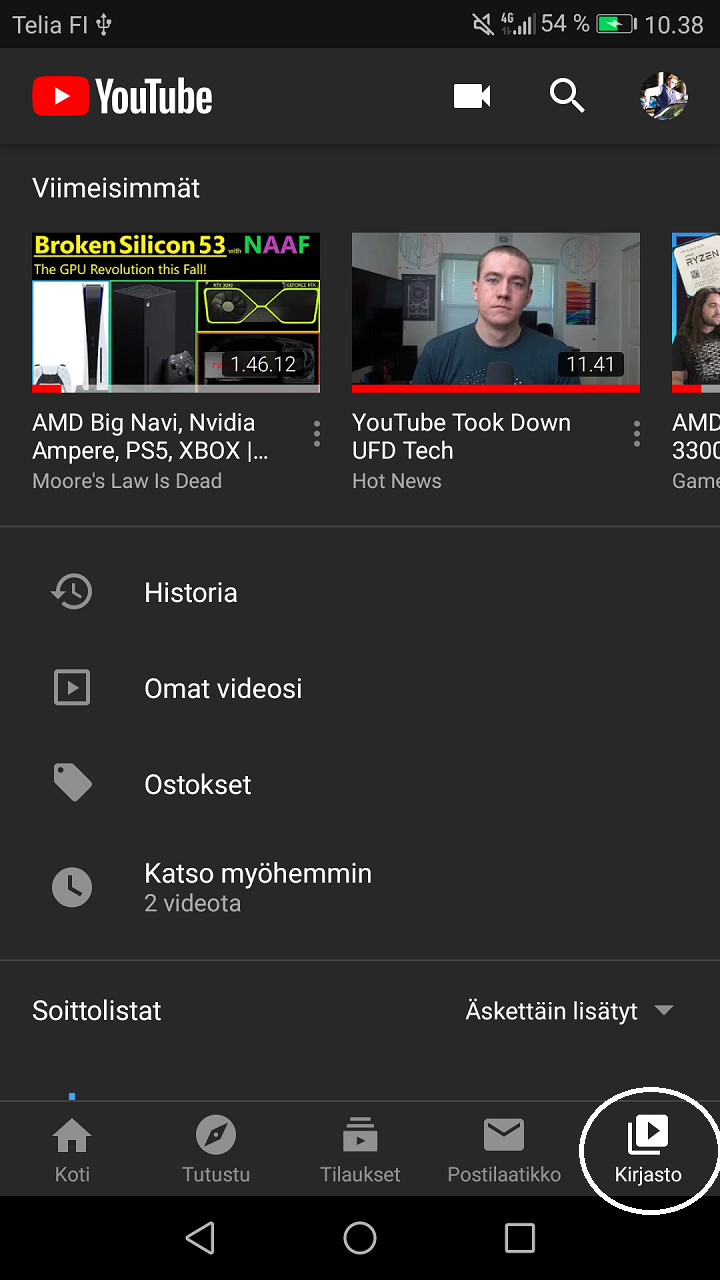
First, head to Youtube and click the Library on the bottom right corner.
Then, click the shuffle button. Now the randomized song will start playing, and this might cause the first and only 30 second ad to appear. If it appears, just skip the ad.

Now the song is playing and all you have to do it click the "Back" button on the phone's interface

As you click back, the windowed playlist mode appears. Now put your phone away and enjoy the music without the "skip ad" advertisements.
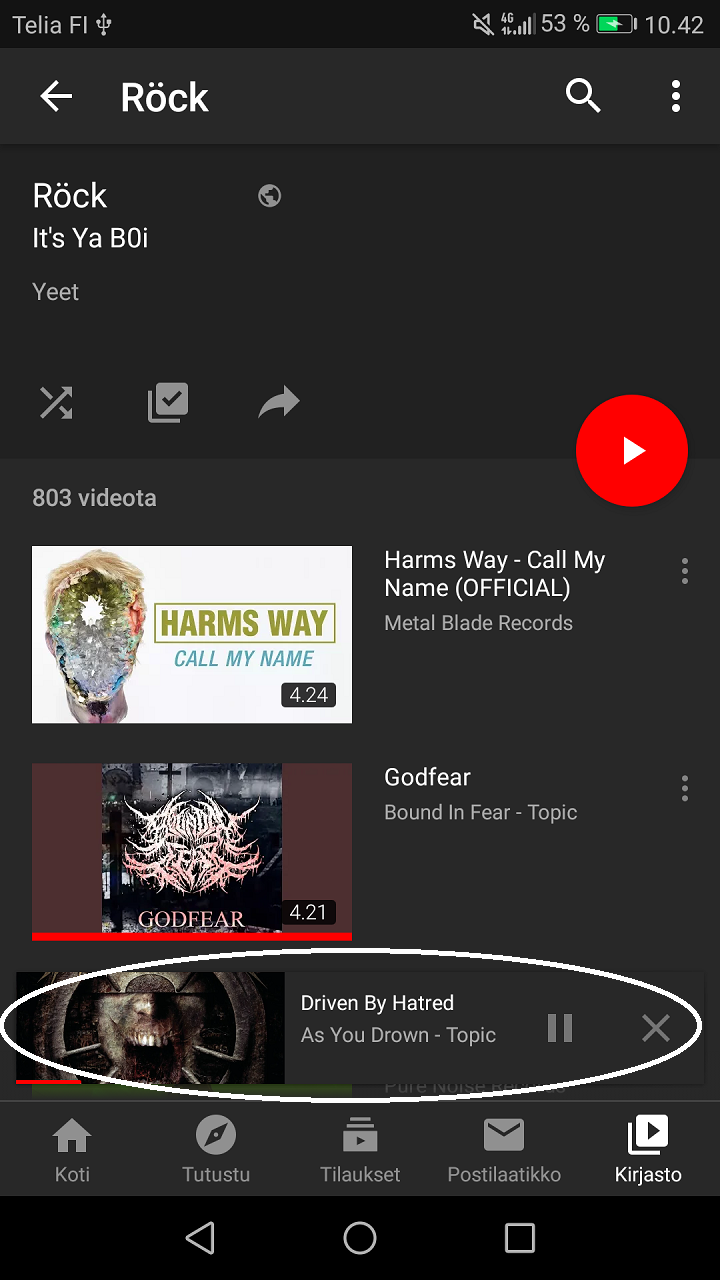
If you wish to listen to this rock playlist, click here! Playlist created by It's Ya B0i